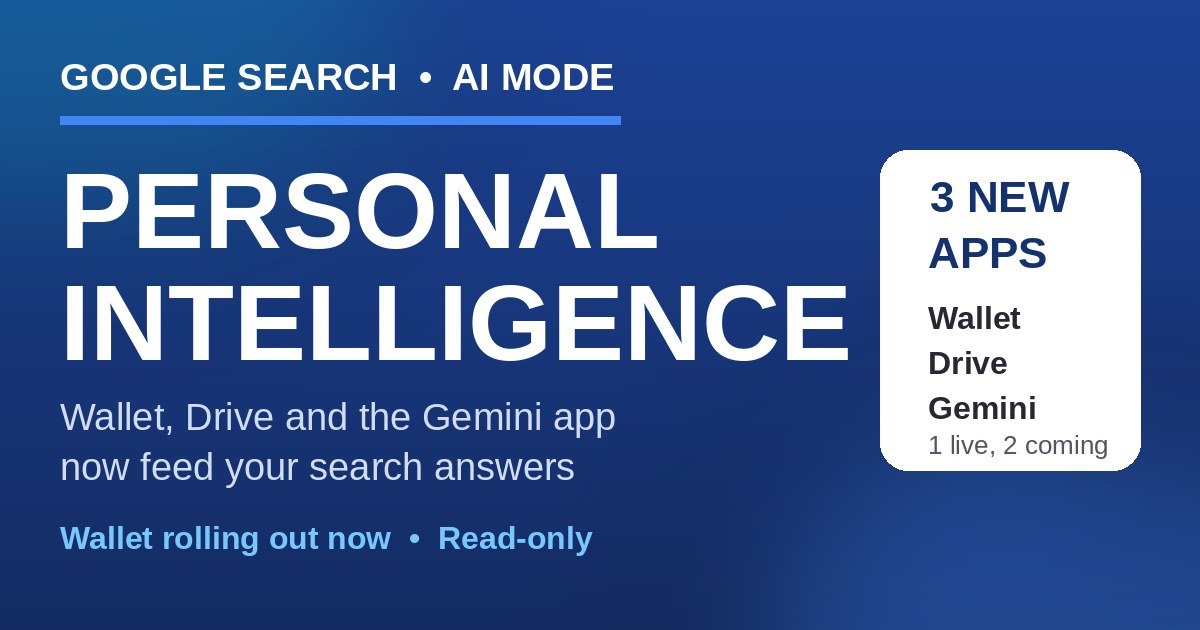
Google has announced three more apps for Search AI Mode. Wallet is rolling out now, while Drive and the Gemini app follow in the coming weeks, and the whole thing is opt-in. The money part is read-only, which is the detail that matters most.
Google AI Mode Personal Intelligence is the feature that lets AI Mode use information from your own Google apps when it answers. Until now it could draw on Gmail, Google Calendar and Google Photos. On Monday 23 November, Google announced on its official blog that Wallet, Drive and the Gemini app are joining them, so AI Mode can take your spending, your documents and your Gemini chats into account. The announcement comes from Robby Stein, Google’s Vice President of Product for Search, and it adds three new apps to the three already supported.
Our analysis: of the six apps Personal Intelligence will eventually connect, three are new in this announcement, and only Wallet had started rolling out when the announcement landed. Drive and the Gemini app follow in the coming weeks. If you open AI Mode looking for the Drive connection today, you will not find it yet.
What actually changed on Monday
The Wallet connection is the one with the clearest everyday use. Connect it, and AI Mode can map out your financial milestones, identify ways to trim everyday spending, and suggest which of your existing cards to use to maximise cash-back categories, travel perks and reward points. That is the pitch in Google’s own words.
The Drive connection works differently. Google’s example is a personalised preparation plan ahead of tax season, built from the documents, spreadsheets and PDFs scattered across your Drive. The point is that the information you need for a big decision is rarely in one file, and AI Mode will now be able to pull it together.
The Gemini app connection is the one that changes how the two products relate to each other. Once it is live, context will flow both ways. If you explore an idea in the Gemini app, AI Mode will have that foundation to build on, and vice versa, according to Google. 9to5Google notes the option to set up the connection was available from 23 November, though the feature itself goes live in the coming weeks. When that connection arrives, 9to5Google reports that AI Mode will be able to access your Gemini chats, what you have shared with Gemini apps, including photos, files, audio or video attachments and screens you asked about, and associated insights and locations. Until now the only bridge ran the other way: you could already opt in to let the Gemini app factor your Search history into its answers.
There is also a smaller change that matters for trust. Google says you will soon be able to view the context AI Mode uses through a Personalization icon below any tailored response. Soon is the operative word. The icon is not live yet. Until it ships, Google has not said how users will see which of their apps shaped a given answer.
| Connection | Status |
|---|---|
| Google Wallet | Rolling out from 23 Nov 2026 |
| Google Drive | Coming in the coming weeks |
| Gemini app | Coming in the coming weeks |
| Personalization icon | Coming soon, not live yet |
How to turn it on (and how to turn it off again)
Connecting an app takes three steps, according to Google’s blog. Open Search Personalization, select Connected Apps, and then choose the apps you want to connect. Those are Google’s three steps. The Wallet option should appear as the rollout reaches your account, with Drive and the Gemini app following later.
Turning it off is just as deliberate. Google says you choose if and when you opt in, and you can turn those connections on or off at any time. Personalisation can also be adjusted or switched off entirely in your Search Settings. The connections are per app, so you can let AI Mode read your Calendar while keeping your Wallet disconnected.
There is one more control worth knowing about, because it is the kind of thing you discover by accident. If AI Mode gets something about you wrong, you can correct it in the thread itself. Google’s example is telling it “I’m no longer a vegetarian”, and it will adjust. That is a small feature, but it means a wrong detail can be fixed in the thread.
The read-only line
The Wallet connection comes with a guardrail, and Google states it in plain language. If you choose to connect your Wallet, AI Mode can only read information from your accounts. It cannot move, manage, or invest your money. Those are Google’s own words, and TechCrunch confirms the same limit in its report on the announcement. The three verbs matter because they draw the line between advice and action. AI Mode can tell you which card to use. It cannot move, manage, or invest your money.
Our analysis: those three forbidden verbs set the Wallet guardrail in plain language. Of the three new connections, Wallet covers your spending and Drive covers your documents. The feature’s value and its risk come from the same connections. A spending plan built from your own spending is genuinely useful in a way a generic budgeting article is not. It is also genuinely personal in a way a generic budgeting article is not. That is why the opt-in wording matters more than the feature list. The Personalization icon, when it ships, will let users view the context AI Mode uses below tailored responses.
For now, the sensible way to try it is one app at a time. Connect Wallet first if the spending advice appeals to you, leave Drive until it actually goes live, and treat the Gemini connection as a later decision. Each connection is a separate choice.
Who can use it, and who cannot
Personal Intelligence is a United States feature for now, in English, on personal Google accounts only. It does not work for Workspace business, enterprise or education accounts, and reporting so far says it is not available in the UK or Europe. That is not a quirk of this update. The feature opened in the US in English on personal accounts, and the 23 November announcement does not change that.
The history puts the expansion in perspective. Personal Intelligence first opened on 22 January 2026 as a Search Labs experiment with Gmail and Google Photos, limited to Google AI Pro and AI Ultra subscribers in the US. It expanded across the US on 17 March 2026, and free users got access in AI Mode around the same time.
Our analysis: from that first opening to this announcement is 305 days, just over ten months, to go from two connected apps to a planned six. The March expansion came 54 days after the January opening, which is a reminder that Google moves this feature in steps rather than all at once. This week’s announcement follows the same pattern: Wallet is rolling out now, and Drive and the Gemini app follow in the coming weeks.
What to watch next is straightforward. The first is when Drive and the Gemini app actually go live, because until they do, the full features behind two of the three new integrations are still waiting on release. The second is whether the Personalization icon ships, since that is the transparency piece that makes the trade-off visible. And the third is whether the feature leaves the United States at all. Ten months in, it has not, and its availability remains limited to the US in English on personal Google accounts.
For now, the advice is simple. If you are in the US with a personal Google account, the Wallet connection is worth a look, because it is the one part of this announcement that has started rolling out, and the read-only limit is stated clearly enough to take at face value. Wait for Drive and the Gemini app to arrive before judging the expansion as a whole. The interesting version of this feature is the six-app version, and that version is still to come.