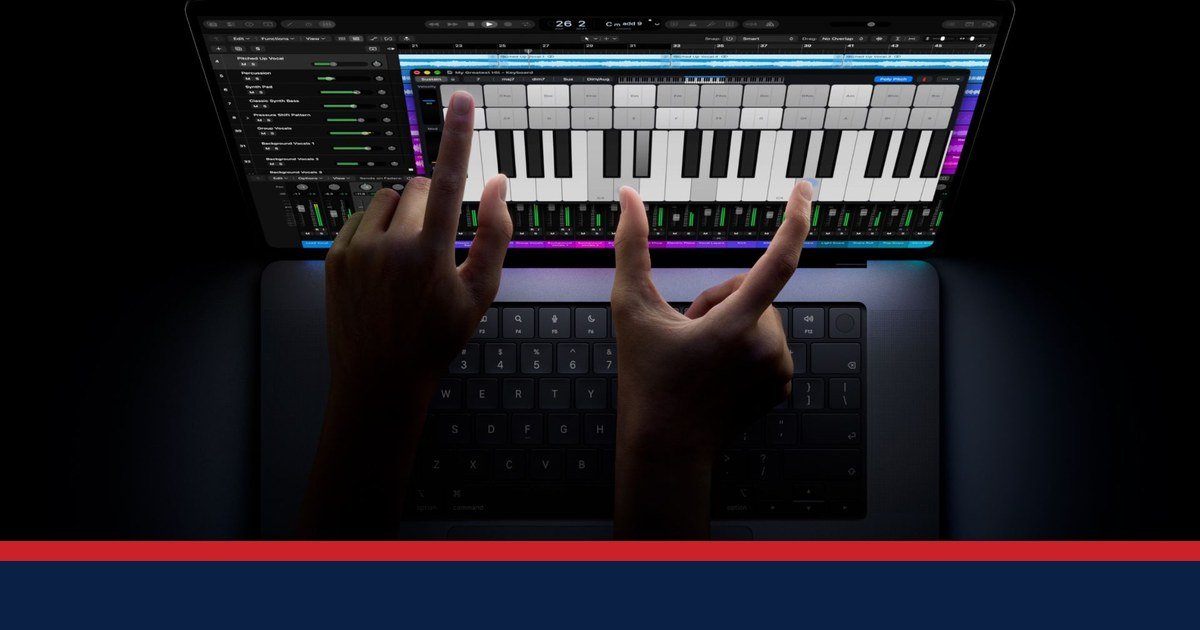
Apple sells two MacBook Pros now, and the choice between them is simpler than Apple’s own page makes it look. The 14-inch M6 starts at $1,999. The touchscreen PROLED model starts at $2,899. Between the matching Pro and Max configs, the gap is exactly $400, every single time. That $400 buys touch, a tandem OLED display, and a lighter machine. It does not buy more battery life, and it does not buy more RAM. We ran the numbers on every config Apple lists, and the answer comes down to one question: do you actually want to touch your laptop screen?
Read Also: Apple’s Pro and Tell Event (Oct 28): First Touchscreen MacBook Pro Confirmed, From $2,899
What is actually on sale right now
Apple announced the M6 14-inch MacBook Pro on 27 October 2026 and the PROLED touch model on 28 October, and both went on sale on Friday 6 November, according to Apple’s own press releases. The lineup now has two families. The mini-LED family keeps the Liquid Retina XDR display and no touch, with the M6 chip in the 14-inch and M5 Pro or M5 Max in both sizes. The PROLED family has the tandem OLED display with touch, in 14-inch and 16-inch, with M5 Pro or M5 Max only.
Two things disappeared from Apple’s buy page. The base 14-inch M5 from October 2025 is no longer listed, and no M4 model appears on the page. Apple has made no formal discontinuation announcement, so we will not call them discontinued.
| Model | Chip | Display | Touch | From |
|---|---|---|---|---|
| 14-inch M6 | M6 | Liquid Retina XDR (mini-LED) | No | $1,999 |
| 14-inch M5 Pro | M5 Pro | Liquid Retina XDR | No | $2,499* |
| 16-inch M5 Pro | M5 Pro | Liquid Retina XDR | No | $2,999* |
| 14-inch M5 Max | M5 Max | Liquid Retina XDR | No | $4,099* |
| 16-inch M5 Max | M5 Max | Liquid Retina XDR | No | $4,399* |
| 14-inch M5 Pro PROLED | M5 Pro | PROLED XDR (tandem OLED) | Yes | $2,899 |
| 16-inch M5 Pro PROLED | M5 Pro | PROLED XDR | Yes | $3,399 |
| 14-inch M5 Max PROLED | M5 Max | PROLED XDR | Yes | $4,499 |
| 16-inch M5 Max PROLED | M5 Max | PROLED XDR | Yes | $4,799 |
*Mini-LED M5 Pro and M5 Max prices are press-reported (9to5Mac, 25 June 2026, after Apple’s US price increase), not from an Apple press release. The PROLED and M6 prices are Apple’s own, from its 27 October and 28 October press releases.
The $400 question
Here is the number that frames the whole guide, and it is our own calculation from the prices above. On all four matching configs, the PROLED model costs exactly $400 more than the mini-LED equivalent. The 14-inch M5 Pro is $2,899 against $2,499. The 16-inch M5 Pro is $3,399 against $2,999. The 14-inch M5 Max is $4,499 against $4,099. The 16-inch M5 Max is $4,799 against $4,399. Four configs, one number.
What does that $400 buy? Apple’s 28 October press release lists the differences: a tandem OLED display at up to 2,000 nits peak in SDR and HDR, against 1,600 nits peak HDR on the mini-LED; contrast of 10,000,000:1 against 1,000,000:1; touch, the first time on a Mac; the Dynamic Island; and a lighter machine on the M5 Pro, 3.0 lb against 3.5 lb on the 14-inch and 4.0 lb against 4.7 lb on the 16-inch. What it does not buy is battery life. Apple’s own tech specs give the PROLED models the same battery-hour figures as their mini-LED equivalents, 22 hours of video on the 14-inch Pro and 24 hours on the 16-inch Pro.
That is the honest frame for the $400. It buys a better screen and a lighter laptop, nothing in battery, nothing in RAM, and nothing in ports. The M5 Pro and M5 Max chips are the same in both families.
Battery and RAM, per dollar
Apple’s battery figures are its own; the PROLED press release says testing was conducted by Apple in September 2026. The 14-inch M6 is rated at up to 24 hours of video streaming and 16 hours of wireless web, which Apple calls the longest ever in a Mac. The 14-inch M5 Pro is rated at 22 hours of video and 14 hours of web, and the 16-inch M5 Pro at 24 and 17. The Max chips run a little shorter on both sizes.
Divide those hours by the price and the M6 pulls away. Our calculation, from Apple’s own figures: the 14-inch M6 gives 12.01 hours of video per $1,000. The next best is the 14-inch M5 Pro at 8.80 hours per $1,000. The 16-inch M5 Max PROLED, at $4,799, gives 4.58 hours per $1,000. The 14-inch M5 Max PROLED is lower still, at 4.45 hours per $1,000.
RAM tells a similar story. The cheapest memory is the 14-inch M5 Pro mini-LED at $104.13 per GB, from $2,499 for 24GB. The most expensive is the 16-inch M5 Pro PROLED at $141.63 per GB, from $3,399 for the same 24GB. The M6 starts at 16GB for $1,999, which works out at $124.94 per GB. All three figures are our calculations from the listed prices.
One guardrail before you trust any headline number. Apple’s PROLED press release headline says up to 24 hours, and that applies to the 16-inch models. The 14-inch PROLED tops out at 22 hours of video. If you buy the 14-inch touch model expecting 24 hours, you will be disappointed.
Which one should you buy?
Most people should buy the 14-inch M6 at $1,999. It has the best battery per dollar in the lineup, the longest battery Apple claims on any Mac, and the lowest price. Sixteen GB of RAM and 1TB cover everyday work, and the $500 to $900 you save buys a lot of accessories.
Buy the 14-inch M5 Pro mini-LED at $2,499 if your work needs the cores. It has the cheapest RAM per GB in the lineup, 24GB as standard, Thunderbolt 5, and support for up to three external displays, according to Apple’s tech specs. It is the value pick for people who actually use the Pro chip.
Buy the PROLED touch model only if touch or the OLED display matters to your work. The screen is genuinely better, up to 2,000 nits peak in SDR as well as HDR, and the reference modes and lighter body matter for photo and video work. For everyone else, the $400 is a lot to pay for a screen you will look at the same way.
Buy the 16-inch only if you need the bigger screen or the 24-hour battery on the Pro. At about 4.0 to 4.7 lb, it is a desk machine that travels, not a travel machine. And skip the 16-inch M5 Max PROLED at $4,799 unless your work pays for it. At 4.58 hours of video per $1,000, it sits near the bottom of the lineup on battery per dollar.
Which MacBook Pro should I buy?
Buy the 14-inch M6 at $1,999 unless you need more cores or a touchscreen. It has the best battery per dollar, 24 hours of video by Apple’s rating, and the lowest price. Step up to the M5 Pro at $2,499 for heavy work, or the PROLED touch model at $2,899 for touch and OLED.
- Pick your screen size first: the 14-inch travels, the 16-inch mostly stays on a desk.
- Choose the M6 at $1,999 for everyday work and the best battery per dollar in the lineup.
- Move to the M5 Pro at $2,499 if your work needs more cores and RAM.
- Add PROLED touch only if you will use touch or need the OLED display for your work.
- Check the deal price on the day you buy, because Black Friday prices move daily.
- Compare the same config at Apple, Best Buy and Amazon, and check the live price.
What to watch next
Amazon’s official Black Friday and Cyber Monday sale runs 19 to 30 November 2026, and as of 14 November there was still no cash discount on the PROLED model at Amazon, according to 9to5Mac. Best Buy’s Early Black Friday sale offers up to $500 off select M5 models, according to dealnews, with the 16-inch M5 Max reported at $3,499. Both figures are press-reported, and prices move daily, so check the live price on the day you buy. The mini-LED prices in this guide are press-reported until they are re-verified on Apple’s own store.